I recently upgraded to an iPad Pro 13” with the M4 chip for no better reason than John Gruber’s assertion that “a Lexus is nicer than a Toyota”. This prompted me to do a deep dive into apps for photo processing raw files from my iPhone 14 Pro Max and my camera, an OM Systems OM-1. I’ve collected a few apps over the years, but none of them really stuck apart from SnapSeed, which works well for editing JPEGs, but raw not so much.
I’m a big fan of Skylum’s Luminar Neo on my desktop machine, so when they released Luminar Mobile I sprung for a subscription without properly testing the app. Big mistake! The results are okay, but the interface sucks. The designer’s appear to have eschewed the conventional slider and used every control widget in the library for no good reason than to use every control widget in the library. Almost every adjustment would be more easily made using a slider from x to y. Skylum recently introduced a new version with a change of name, but no improvements to the UI. I have cancelled auto-renewal.
Many years ago I was a user of Adobe Photoshop and Lightroom on Windows, but the subscriptions became too expensive for my amateur use. I had a big fight with Adobe when I tried to cancel my subscription, which they eventually did, but it left a sour taste so I’ve avoided their products ever since. But time heals all wounds 😀, and I decided to take a look at Lightroom for iPad. It didn’t take may days of the free trial to convince me to take a subscription. The app gave great results on every image a threw at it: iPhone files JPEG, raw and ProRaw, ORF files from my camera and DNG files output from DxO Pure Raw 4 (highly recommended also), which I loaded into Apple Photos.
This post isn’t intended to be a review of Lightroom for iPad. What prompted me to write it was a newsletter plugging the “best retouch tool” on iOS. I haven’t had much occasion to use the Generative AI feature in Lightroom, so I tested it on this image:
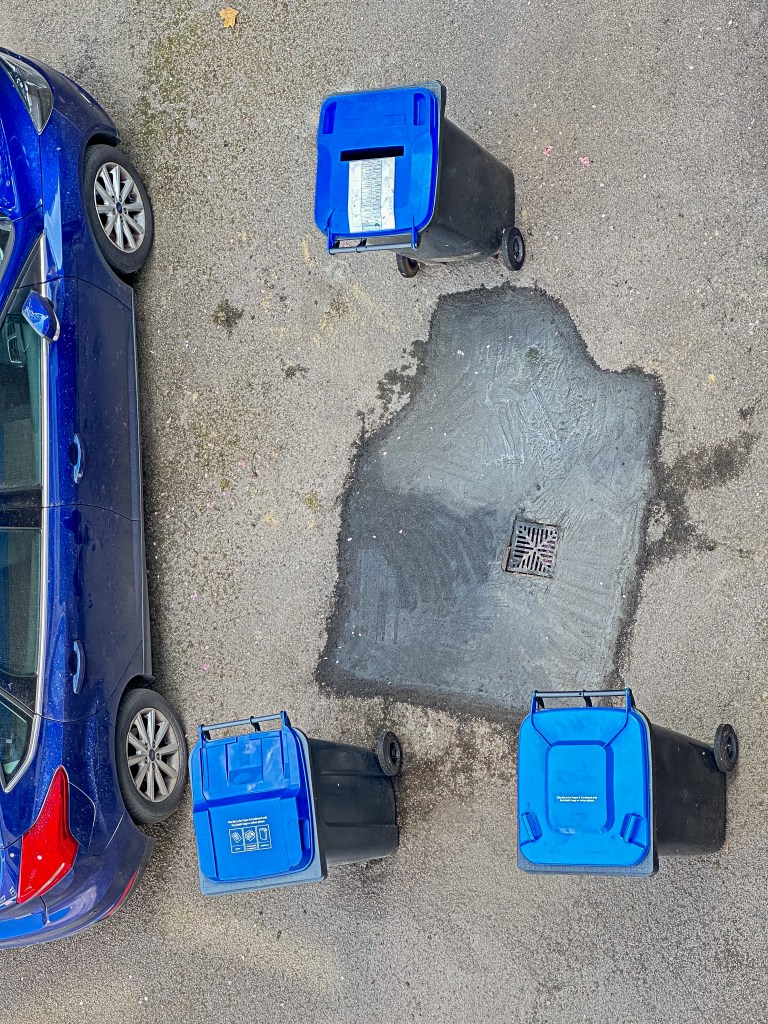
First I removed the bins:
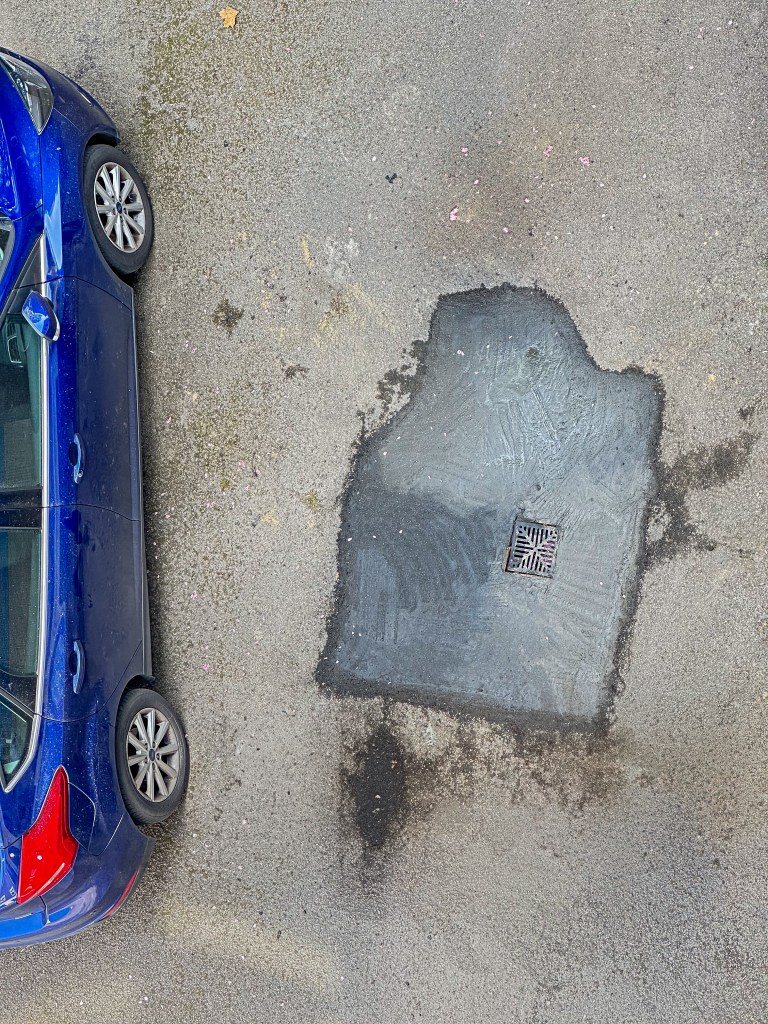
Even the small section of the cement repair at the bottom right has been convincingly generated. Some dirt where the bottom left bin was standing has been added.
Next I removed the car:
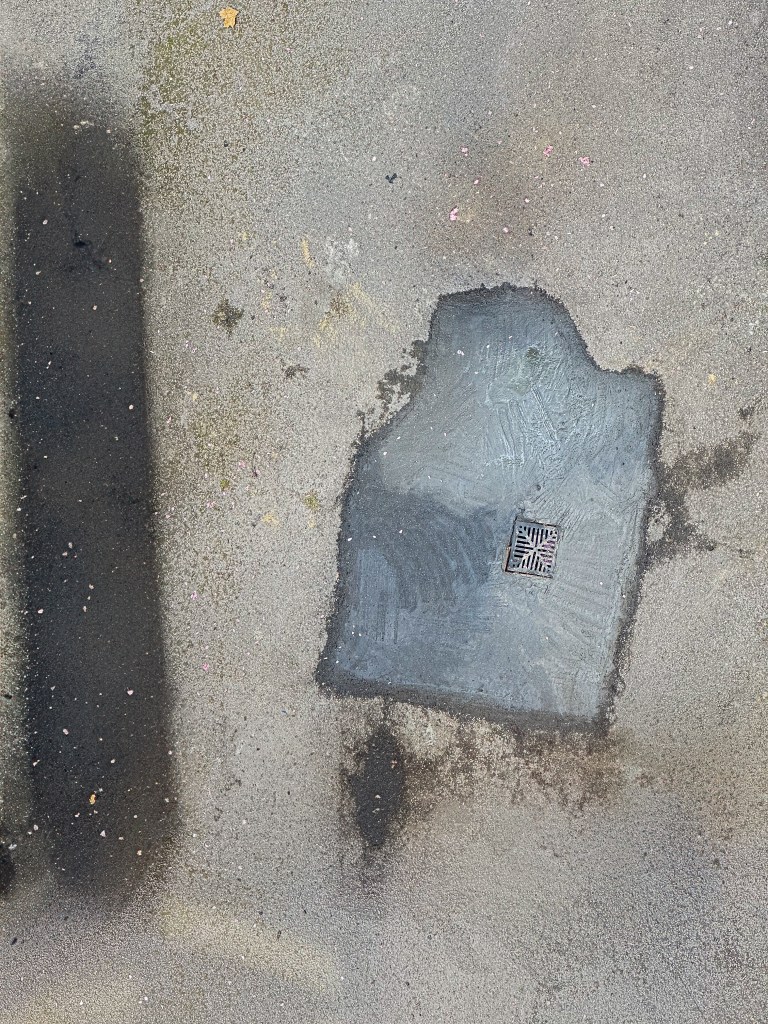
The app has generated a dark area indicating some stain or damp under the car, though its shape is odd.
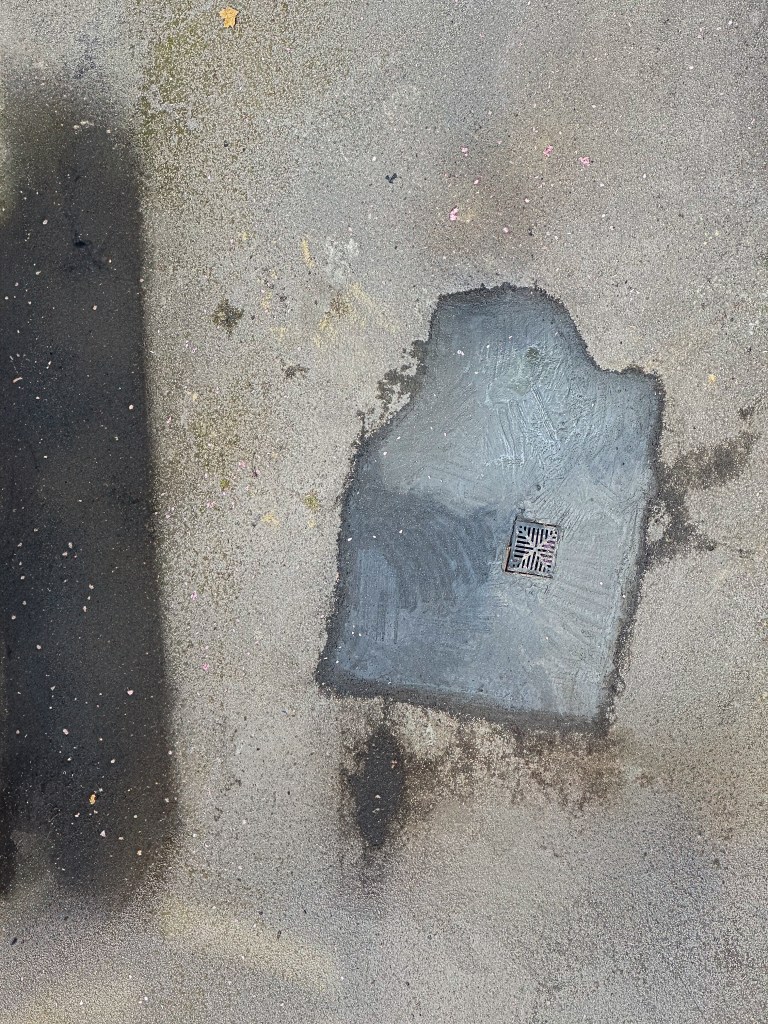
For the final edit, I adjusted the darker area so it reached the edge of the frame. The final result is amazing!

 oddrops